IWIL members have access to a Membership Portal, which includes an address book of other IWIL members.
You can also track your event registrations, see invoices, submit a Pay to Print post and submit a job post.
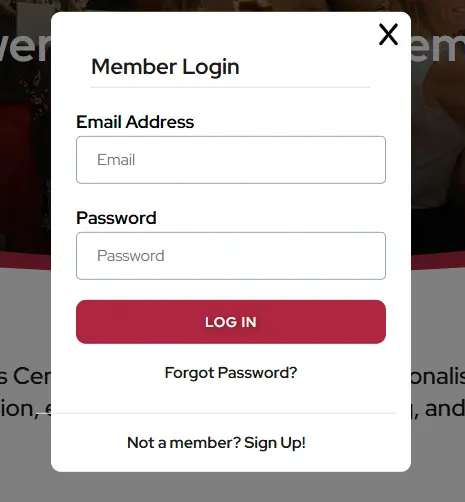
Below are screenshots of how to login as a member.
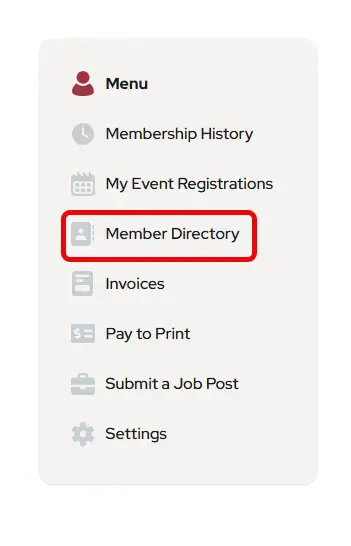
Once you are logged in, go to your profile and refer to the menu in the left-hand column to access member resources.
How to Login as a Member
2. Fill in your IWIL credentials.
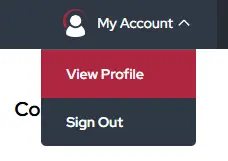
3. Once logged in go to your Profile. The Member Login at the top should now read, My Account. Click on the button at the top of your screen.

4. Click on View Profile
5. Now you are in the membership portal. On the Profile page there is a new menu for members. The Members Directory is the fourth option. Click on that to open the Member Directory page.
Note: If you are a website administrator, you can login as outlined above and then click on the Antilles logo in the black bar at the bottom left of your screen to access membership reports.